iPhone Duo: App Compatibility, Touch ID, Camera Tips and Screen Costs
Apple’s first foldable pairs a 7.6-inch inner display with useful multitasking, but app support, accessories and screen care need attention.

The iPhone Duo’s defining feature, its folding 7.6-inch display, also changes how people use apps, accessories and familiar iPhone features. Apple has had seven years to watch the foldable category develop since Samsung introduced the Galaxy Fold, and the Duo looks like a considered first entry. At $1,999, though, buyers should know where the experience is already polished and where it depends on future software updates.
Apple’s first folding smartphone arrives years after Samsung pioneered the category with the Galaxy Fold. The result is a capable foldable, but its unusual proportions make some familiar habits less convenient. Here are the details that matter in daily use.
Apps are still adjusting to the displays
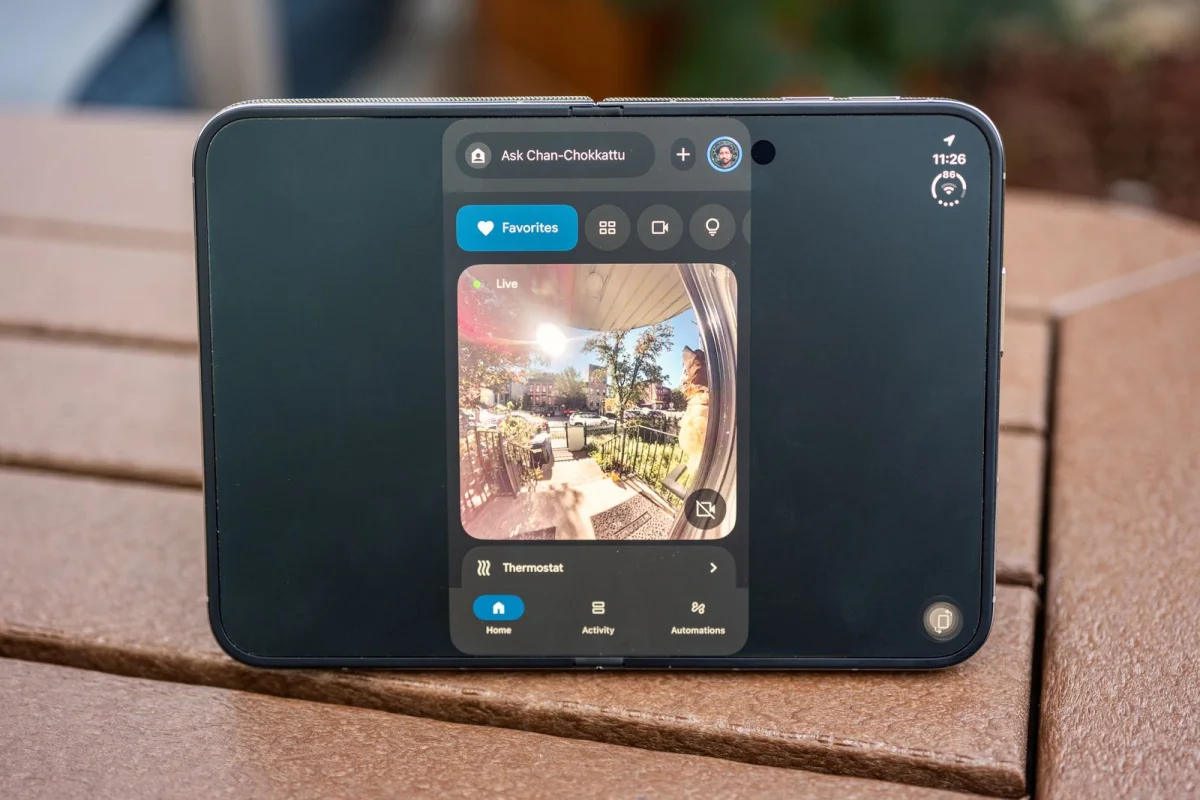
The Duo has a 5.4-inch outer screen and a 7.6-inch inner display, and many apps haven’t yet been adapted to either layout. Apple has also shifted navigation elements to a rail on the right side of the screen, rather than placing them along the bottom as on other iPhones. That redesign gives apps a new layout to account for.
Apple’s own apps have been redesigned for the device. Some third-party apps, by contrast, appear in a narrow strip with large black areas on either side. Slack, Instagram, DoorDash and WhatsApp have already been optimized for iOS 27.1, but adaptation doesn’t guarantee every element will work as intended: Instagram can still show broken interface components.
App support is a moving target. Developers will need time to update and refine their software for both screens and the Duo’s navigation. That means the experience may improve as more apps catch up, but buyers should expect some rough edges in their existing libraries.
Touch ID replaces Face ID
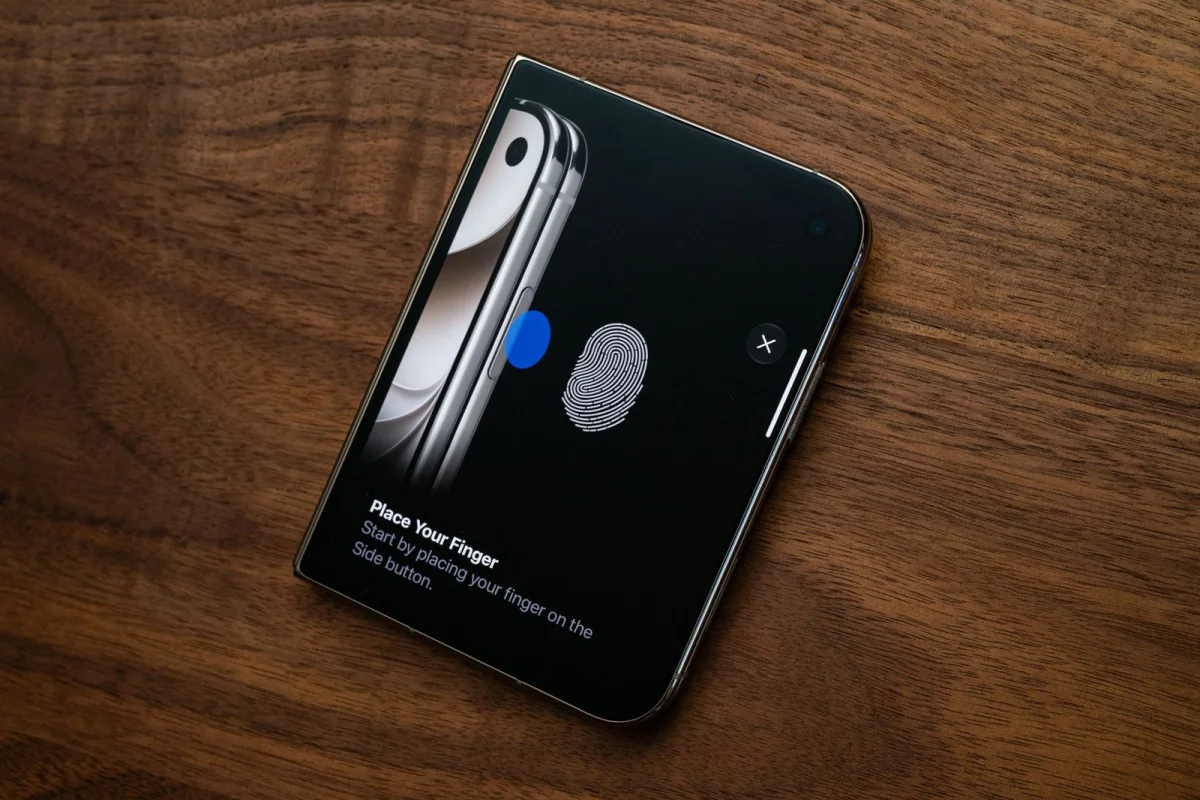
The Duo returns fingerprint authentication to a flagship iPhone. It doesn’t have Face ID, which Apple introduced nearly a decade ago and later used in place of Touch ID on its main phone line. The likely practical reason is space: Face ID hardware may be difficult to fit into the Duo’s thin design. Touch ID remains familiar from the iPhone SE, iPads and MacBooks, but the side-mounted sensor will take some adjustment for people accustomed to unlocking their phones by looking at them.
That change has different consequences for different users. People who value Face ID’s hands-free convenience may miss it; people who prefer fingerprint authentication may welcome its return. The Duo retains Dynamic Island, the pill-shaped interface for live app activity. It sits at the top-right edge around the outer selfie camera, and appears at the top-right of the inner display when a live activity is running.
MagSafe works, with a wallet caveat
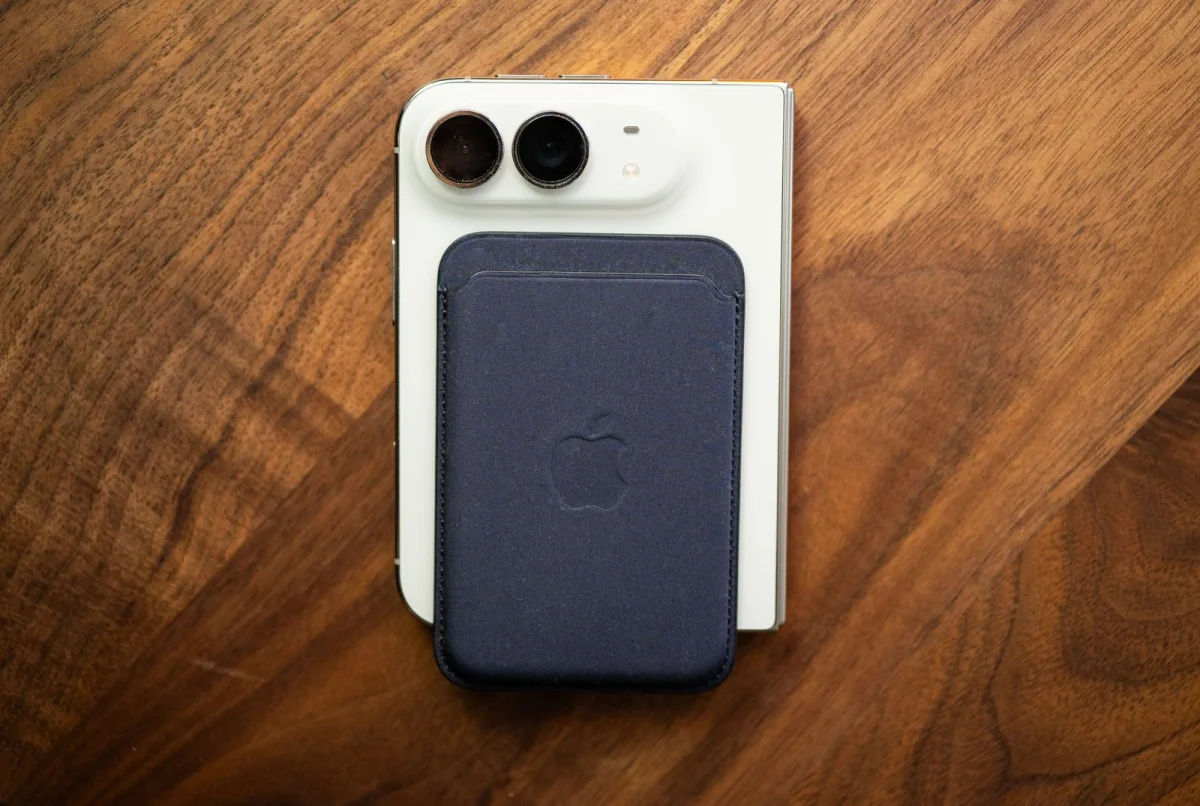
The Duo supports MagSafe, so existing magnetic grips, car docks, bike mounts and wireless chargers can attach to its back. But an unfolded Duo can tip sideways on a dock or tripod: its uneven weight distribution can overcome a magnet’s hold. Accessories with anti-rotation magnets may help, which could mean replacing some existing mounts.
Magnetic wallets are a more awkward fit. The Duo is shorter than other iPhones, so a typical MagSafe wallet extends past the bottom edge. Apple doesn’t offer a matching wallet solution; buyers who want to attach one may need to look for a third-party design made for the phone’s dimensions.
Use the rear cameras for selfies
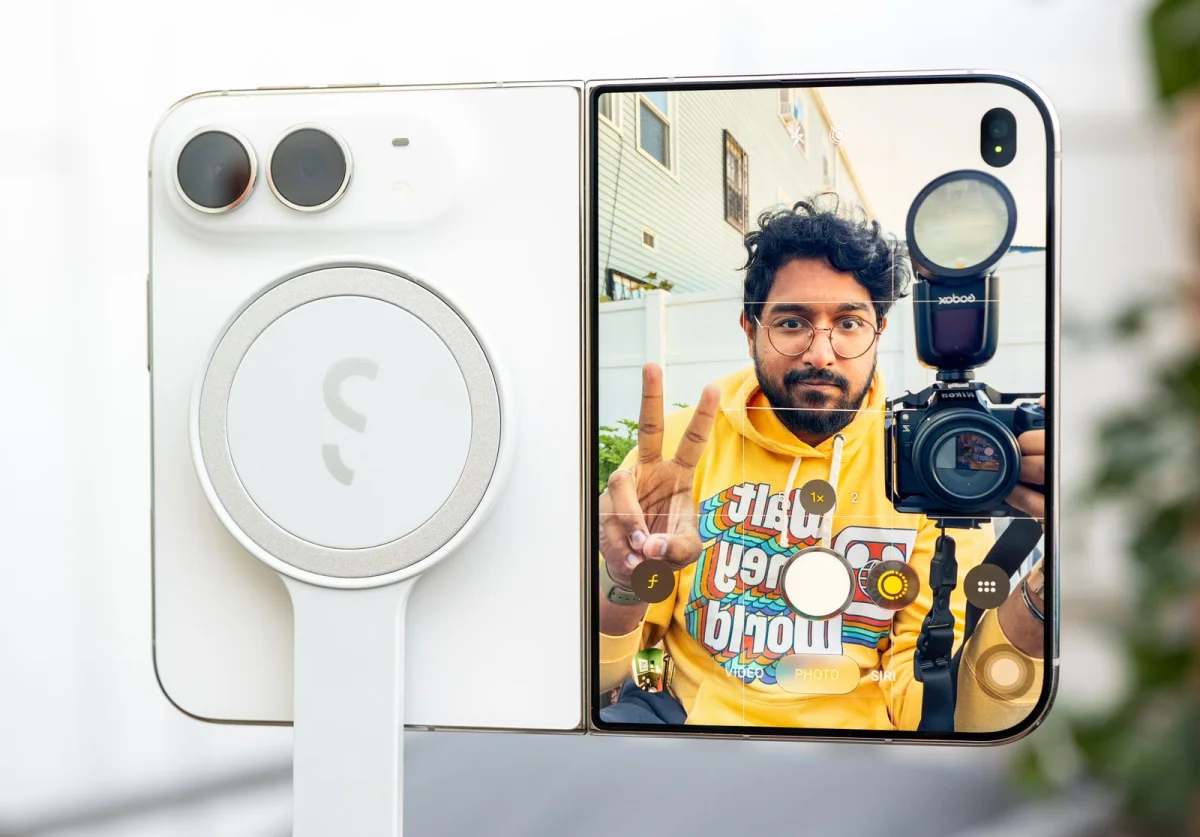
The outer display makes it possible to frame a selfie with the rear cameras, which offer better image quality than the front-facing camera. To use the camera controls on the outer screen, open the camera and turn the phone around. A “Slide to show camera” prompt brings up the full camera app on the outer display, including its modes and Photographic Styles. The inner display switches off in this mode, helping prevent accidental touches while you hold the phone.
This is separate from “Duo Preview,” which shows the camera viewfinder to the person being photographed so they can check their pose. The camera app also includes “Kids Cue,” which plays Snoopy animations on the outer screen to attract a child’s attention.
Save useful two-app setups
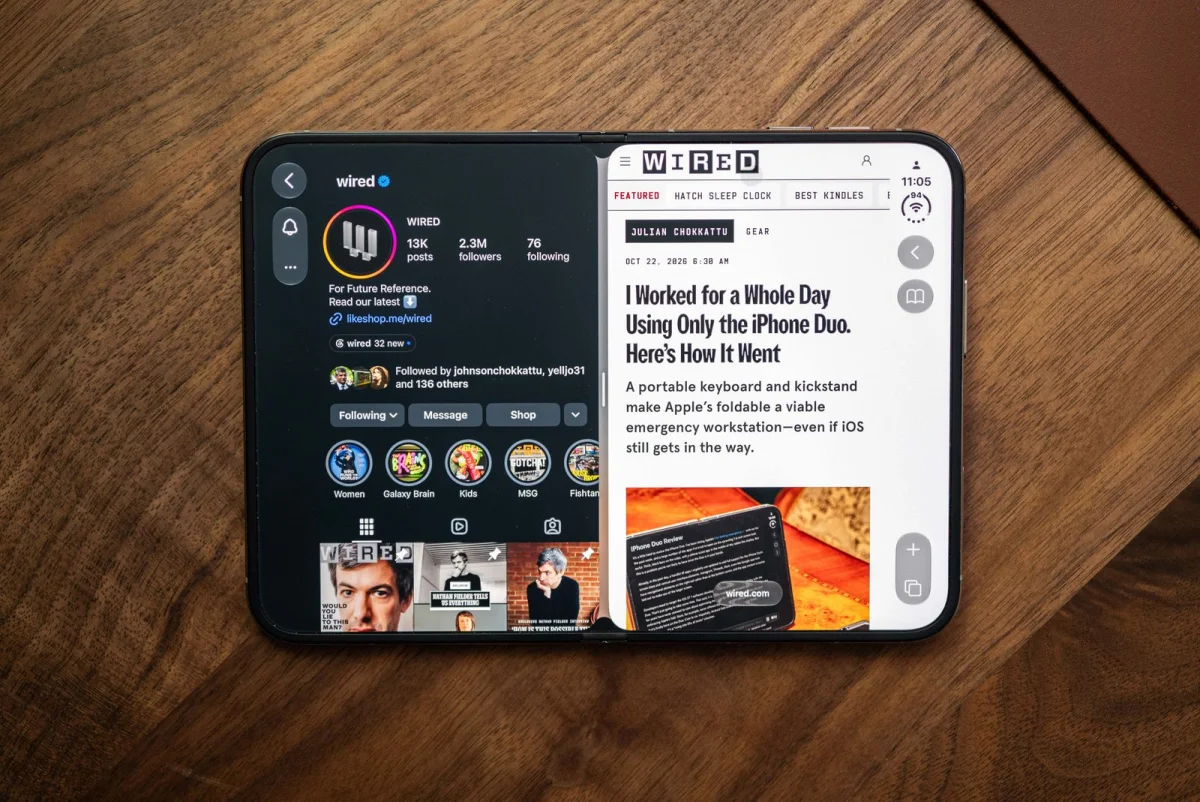
The large inner display can show two apps at once. Drag an app up from the bottom edge and place it on the left or right to enter split-screen mode. It’s useful when, for example, a call and a confirmation email need to stay visible together, or when comparing two Safari pages.
There’s also a way to keep a particular pair handy. Tap the divider between the apps; when it turns white, the pair is saved to the Recent apps menu. It can’t be saved as a combined app icon, but it’s a quick route back to a setup you use often.
Protect the inner display carefully
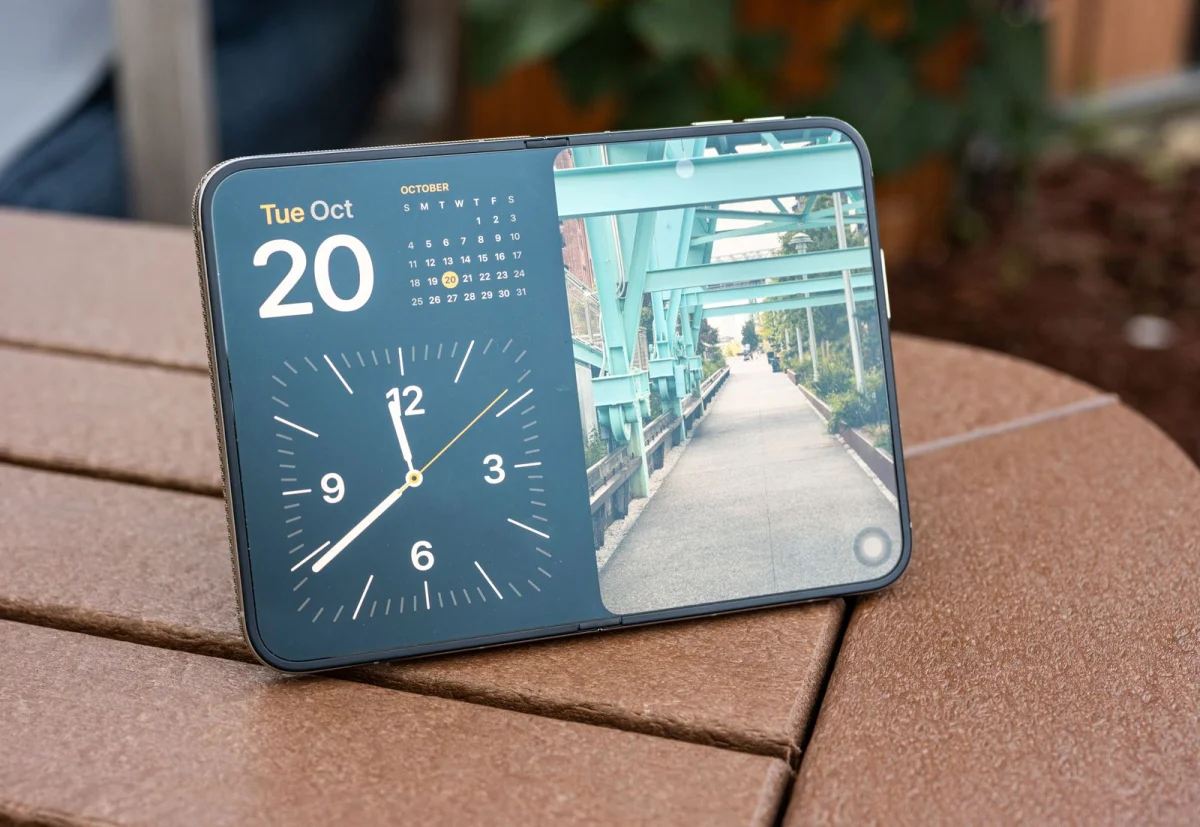
A case can help protect the Duo, though folding-phone cases usually use two sections that attach to the separate halves. A screen protector can go on the 5.4-inch outer display. The 7.6-inch inner display needs more care because its matte nano-texture finish is an integral part of the screen.
Apple says not to try to remove that finish, and provides guidance for protecting the nano-texture display and cleaning it properly. The company doesn’t address third-party screen protectors, but adding one could affect how the display performs. A damaged finish can be replaced for $19, or $49 when the phone is out of warranty. A cracked inner display is a much more expensive repair: $999 without AppleCare+. Those are different problems, so a scratch to the finish shouldn’t be confused with a cracked screen.
Typing and stylus support are changing
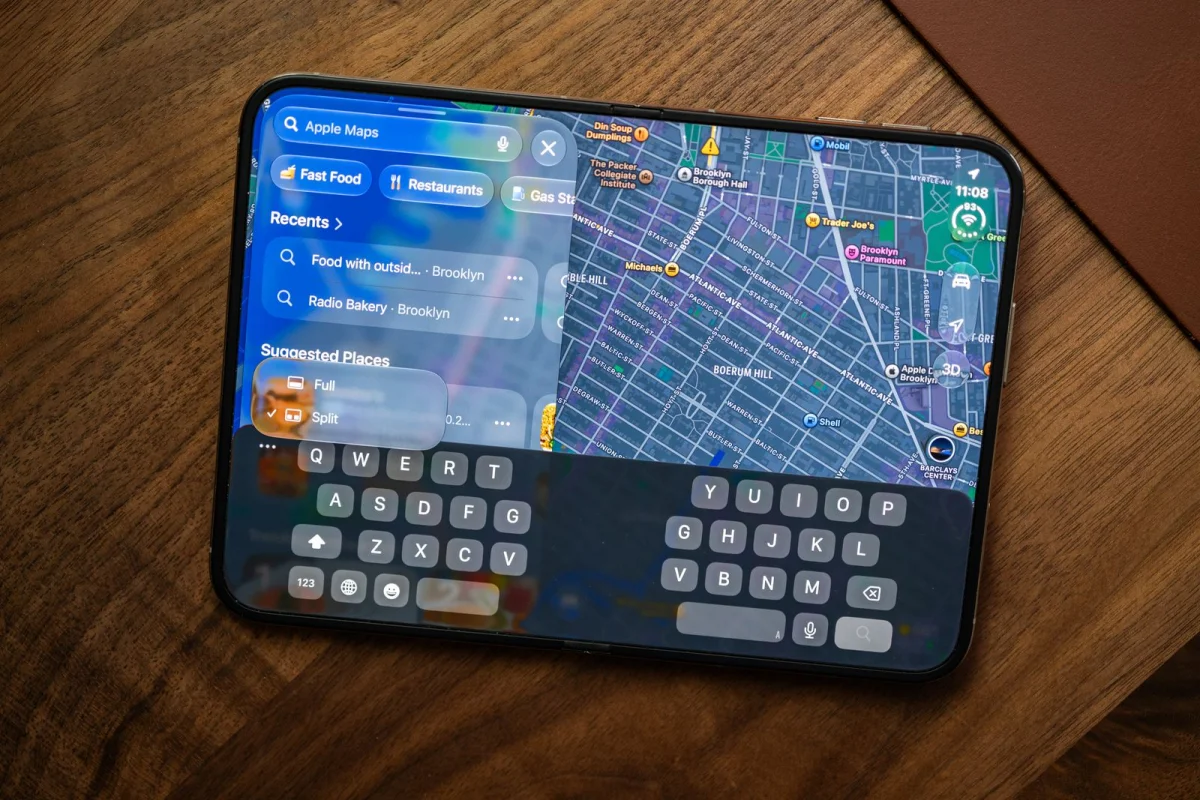
The Duo’s width can make it harder to reach across the screen, even with the phone open. Apple’s split keyboard helps bring the keys closer to each thumb. A software update planned for later this year will add Reachability, which will shift an app to the left or right to make its controls easier to reach.
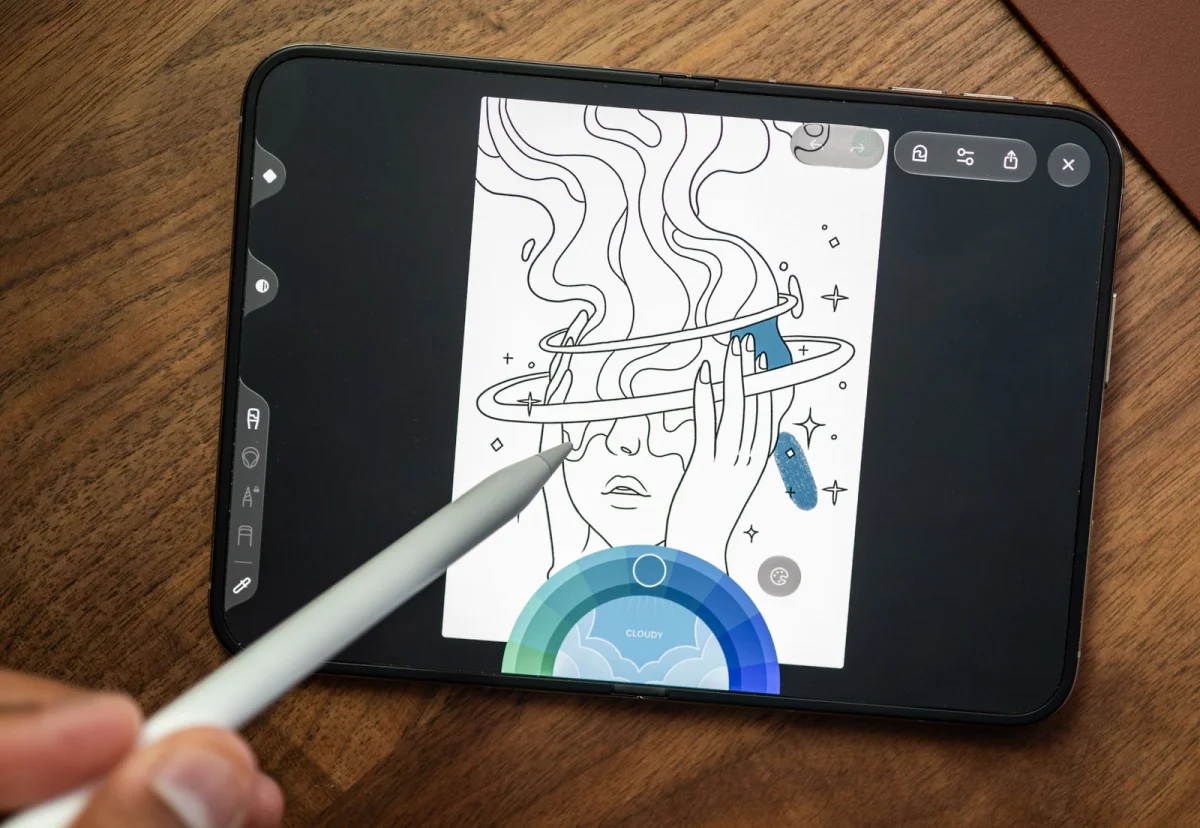
Another planned update will add support for the USB-C Apple Pencil. The feature will work with that model alone, not other Apple Pencil versions. Apple hasn’t built a storage slot for the stylus into the phone, so owners will need to carry it separately or find an accessory that holds it. The Duo’s large matte screen could make writing and drawing appealing, but that use will depend on the promised software update.
For now, the Duo’s best arguments are its roomy inner display, split-screen use and rear-camera selfies. App updates and planned software features should fill in some gaps, while the screen’s repair costs and accessory fit are practical details to consider before buying.