Turtle Beach Vulcan II XP Review: Strong Typing, Flexible Gaming Controls
The $150 Vulcan II XP pairs satisfying mechanical keys with detailed gaming controls, though build flaws and non-Hall effect switches limit its appeal.
The Vulcan II XP makes a convincing case for a full-size gaming keyboard if you value a satisfying typing feel and controls you can tailor to different games. Its $150 price buys hot-swappable mechanical switches, extensive input remapping and a useful macro manager. But small hardware and software flaws, plus the absence of Hall effect keys, keep it from feeling like a high-end board.
Full-size design, mixed construction
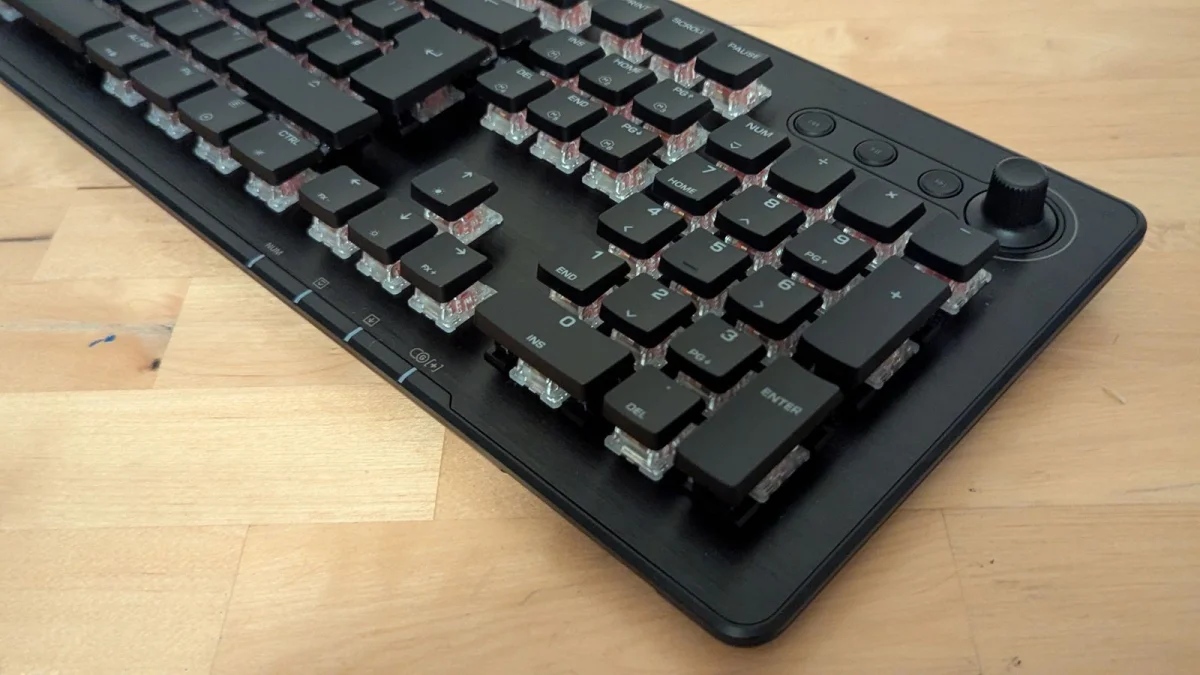
Turtle Beach’s latest Vulcan measures 462 x 153 x 32 millimeters. Its low profile, floating keys and brushed-aluminum top plate give it a polished look, while sturdy flip-out feet raise the board by about 10 millimeters. The underside is a plain plastic shell that feels cheaper than the surface above it.
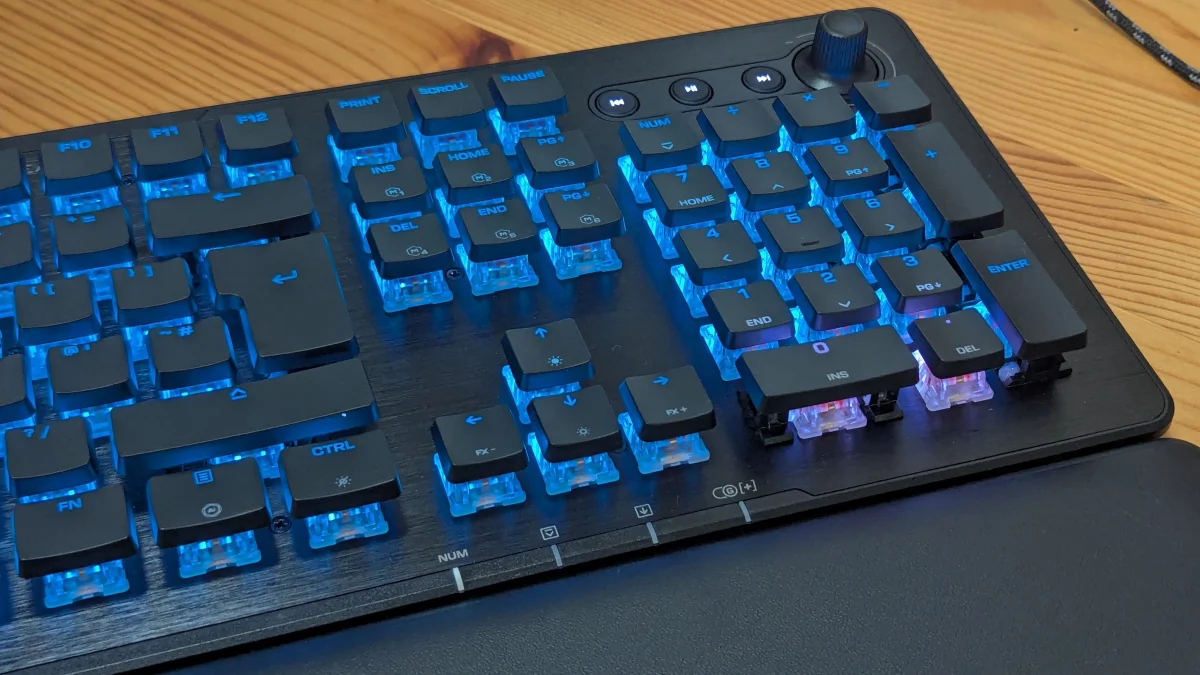
A soft foam wrist rest snaps onto the front and adds comfortable support for typing or gaming. It isn’t memory foam, so its cushioning may wear down with use. At the upper right, dedicated back, play/pause and forward buttons sit beside a volume wheel that can also be pressed to mute.
This is a wired keyboard, supplied with a detachable 1.8-meter USB-C to USB-A cable. Plugging it into a Windows PC gets it running, and the wired connection avoids wireless input delays. Turtle Beach is also launching the wireless Vulcan II XP Air for $50 more.
The wired version costs $150. Buying options listed with the review included $141 at Amazon and $150 at Turtle Beach.
Software unlocks the useful features
Turtle Beach’s Swarm II app is the way to tame the default rainbow lighting and configure the board. It includes 10 lighting effects, with options to change brightness, speed and, for some effects, colors. A custom slot gives more control: users can assign colors to individual LEDs and pick from six patterns. The lights can be turned off through the app.
The stronger reason to install Swarm II is input customization. The app lets you remap individual keys and save setups to one of five onboard profiles, so a layout can suit a specific game or everyday work. Its macro manager records combinations of inputs and allows timing to be set in milliseconds. Presets cover games including Counter-Strike, Overwatch and Skyrim, as well as office apps and Photoshop. Layouts can also be imported.
Easy-Shift lets one key serve as a shortcut to another function. ReacTap assigns two commands to a key, which may help with games that call for quick inputs. Some competitive play settings may restrict that kind of feature. Getting these options mapped takes experimentation, but the reviewer found they could produce practical custom layouts, including for Borderlands 3. One frustrating software quirk: reverting a single input sometimes reset the whole profile, forcing the setup to be rebuilt.
A smooth, satisfying typing feel
The tested model had linear Titan HS switches; Turtle Beach also sells a tactile version, in black or white. Linear switches move smoothly through the press, while tactile switches provide a small bump as they activate. Which feels better comes down to preference.
Key spacing is precise, and the keys make a satisfying clack when fully pressed. The factory-lubed linear switches feel unusually smooth and quiet on the way down, though, so it’s easy to hold a key longer than intended. That can produce a run of repeated letters while typing, or an unintended input in a game until your fingers adjust.
The switches are hot-swappable and support three-pin and five-pin mechanical replacements. The flat keycaps also come off easily for cleaning. Turtle Beach rates the switches for 50 million keystrokes. That’s a useful service-life claim, though it’s one-third of the 150 million keystrokes claimed for the company’s Vulcan II TKL Pro.
Unlike that earlier Pro model, the Vulcan II XP doesn’t use Hall effect keys. That means buyers give up that switch design’s potential for precise actuation adjustments in exchange for the practical ability to replace or change mechanical switches. Its polling rate is 1,000 Hz, corresponding to a 1-millisecond response time. That’s suitable for gaming, though keyboards with 8,000-Hz polling rates offer a higher ceiling.
Small faults weaken the package
The review unit had two noticeable hardware issues. Its media wheel worked in reverse: turning it toward the minus symbol raised volume. Updating the firmware didn’t fix the problem, and the reviewer had to remap the dial in Swarm II. The app made that possible, but a basic volume control shouldn’t require correction.
The LEDs beneath the “0” and “.” keys on the number pad also stayed glaring white, regardless of the selected pattern or color. Trying to set colors for those LEDs individually didn’t help. These faults add to the impression of a board whose aluminum top looks more carefully finished than the plastic base and some of its details.
The Vulcan II XP earns a 6/10 in the review. Its best qualities are the typing feel, the range of physical and software customization, and a macro manager that supports both games and work apps. The compromises are tangible: no Hall effect switches, a less premium underside, a potentially annoying dial issue and LEDs that may not follow your settings.
For someone moving to a mechanical keyboard, it offers an inviting typing experience and plenty of room to tailor controls at a midrange price. Players who need more advanced switch features or a higher polling rate should compare higher-tier options before buying.