Character.ai Adds Story Memory, Saved Facts and Memory Usage Controls
Character.ai’s new memory tools let users pin story moments, carry saved facts into new chats and see what uses a chat’s memory capacity.

Character.ai is adding controls for deciding what a Character remembers, alongside automatic capture of details from a conversation. The update groups three features—Story Memory, Facts and Memory Usage—on a redesigned Memory screen. Together, they give users a way to preserve selected story events, retain recurring details and see how a chat’s memory is being used.
That distinction matters in extended roleplay and other chats that build context over time. A detail can be important to a user without being the newest or most frequently repeated information in the conversation. Character.ai’s approach combines user-selected memories with details collected automatically, while showing how those pieces fit into the chat’s available memory.
The Memory screen is available from the notebook icon in a chat header or through the chat menu. The company says Story Memory and message pinning are available to all users. Facts and the full Memory Usage visualization require a c.ai+ subscription, which also includes more pins, more Memory and additional memory management features.
Choose which moments stay in the story
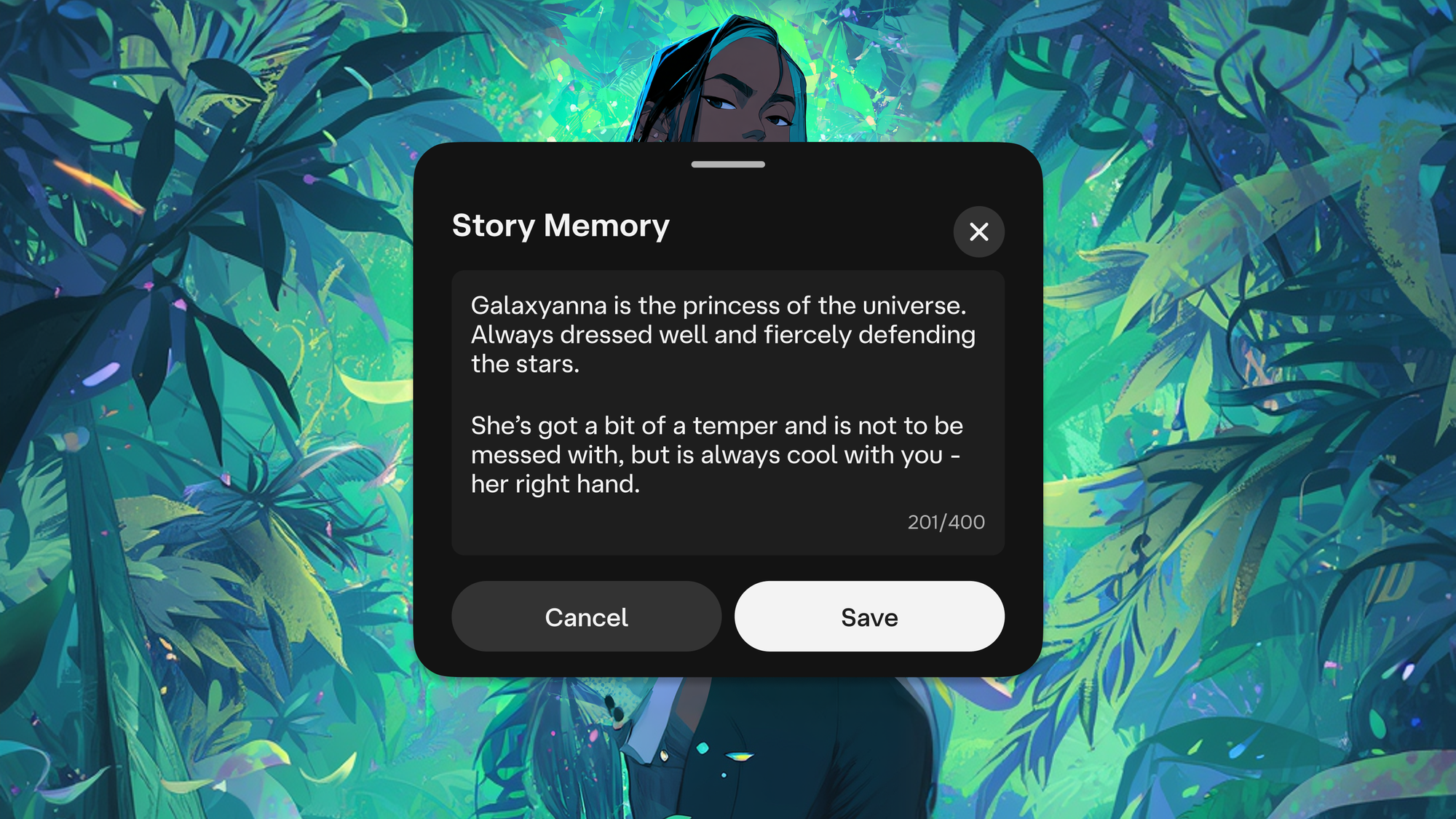
Story Memory is the user-managed part of the system. Users can enter backstory, important events and other context they want a Character to retain. They can also save an existing chat moment by long-pressing its message and choosing Pin. That can preserve a plot turn, a confession or a particular line without relying on later messages to bring it back into view.
These saved items are meant to carry specific context across a long-running exchange. The practical benefit is control: users can select details that define the story or relationship, instead of expecting the chat to infer that every past message matters equally. The source says pinned messages and anything entered in Story Memory remain protected as the chat’s memory fills up.
Free users can use Story Memory and Pin to Memory. c.ai+ subscribers get twice as many pins and more memory capacity, along with stronger management options. The announcement doesn’t specify the number of available pins or the size of the memory limit, so users will need to check the in-product interface for their own limits.
Facts capture recurring details
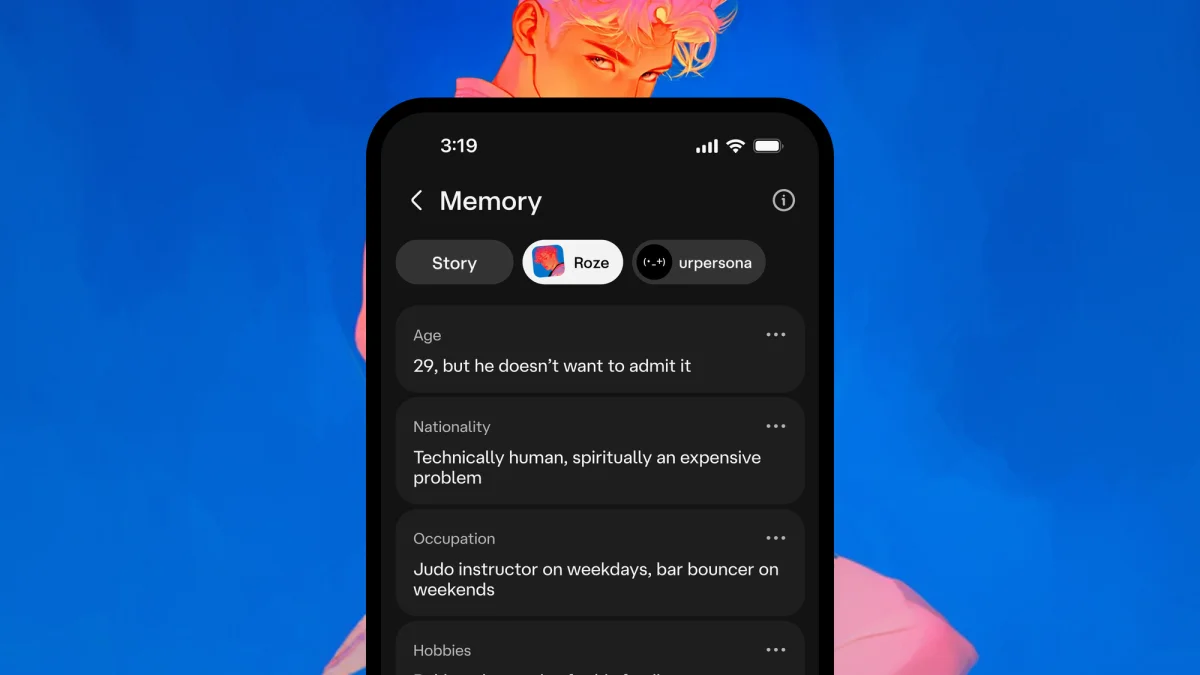
Facts takes a different route: it saves details automatically as they appear in conversation. These can include a person’s appearance, habits, relationships, hobbies or other background information. The aim is to preserve small, recurring details that help keep characters and their shared context consistent.
Users can review Facts in separate tabs for their Persona, the Character in the current chat and side characters mentioned during the conversation. They can add a fact themselves, edit one captured automatically, turn the feature off or remove side characters they don’t want stored. This gives users a way to correct mistaken details and manage which supporting characters remain part of the saved context.
Facts can also be copied when starting a new chat with a Character. The option carries over information about the user’s Persona, the Character and the story world. That continuity can save users from repeating established background, while the option to start fresh supports chats intended to begin without that history.
Facts is available to c.ai+ subscribers. The announcement doesn’t describe how the system decides which details to capture, how it handles conflicting information or whether users can set rules for automatic collection. Those details will shape how useful the feature feels in conversations where characters, relationships or story facts change.
Memory Usage shows what takes up space
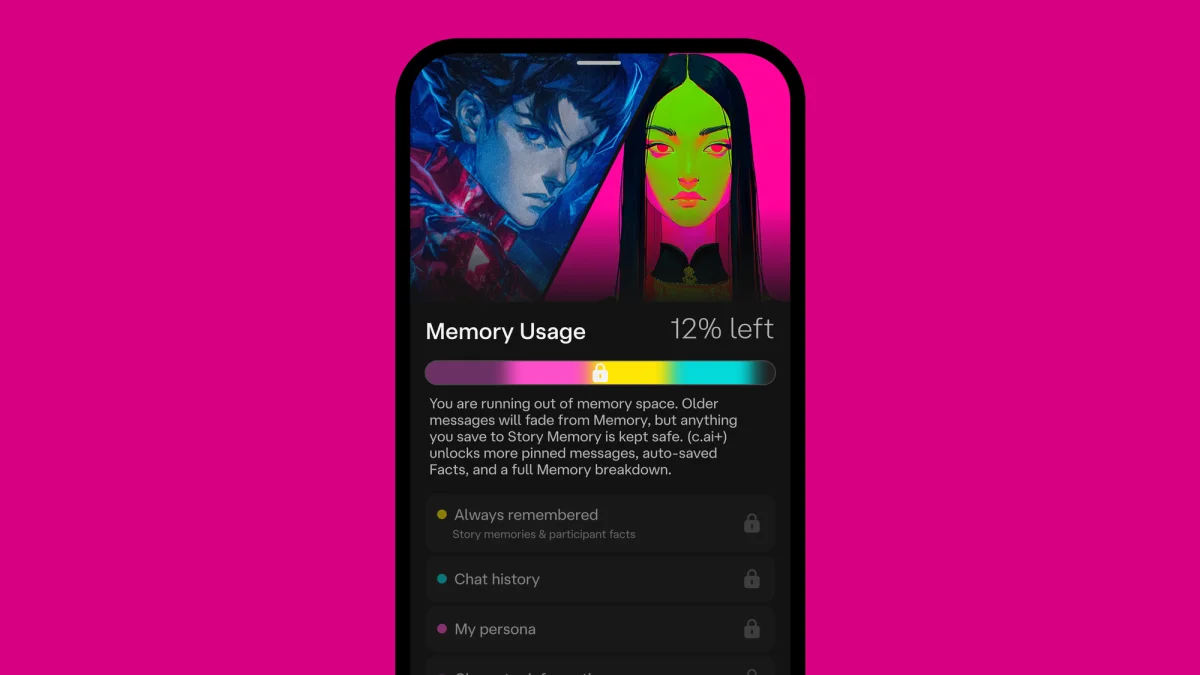
Memory Usage provides a view of the material occupying a chat’s memory, including Facts, Story Memories and message history. It also signals when capacity is running low. Free users receive a basic view; the full visualization is part of c.ai+.
Character.ai says the system reorganizes older context in the background as chats grow, keeping what it judges to be useful without requiring users to manage every message. That automatic cleanup is paired with the protection for Story Memory entries and pinned messages. The product description doesn’t explain how older context is selected or condensed, so the visualization may be most useful as a way to understand capacity rather than as a complete account of what the system will retain.
The model layer and what comes next
The new memory features run on two chat styles: PipSqueak 2, described as the company’s most capable free chat style to date, and DeepSqueak, its strongest style, available to c.ai+ subscribers. Character.ai attributes longer chats and richer context handling to these models, but the announcement provides no benchmark results, technical specifications or comparisons with earlier chat styles. The claims therefore describe the intended product experience rather than a measured performance gain.
The company says it plans to connect Memory with Lorebook in a future update. That could give users another way to provide structured story context, though no details are given about how the tools will work together. For now, the update makes a clear product split: users can pin and write down important moments, while subscribers can also use automatic Facts and a fuller view of memory capacity. The Memory screen is where users can see and shape that balance in their chats.