Roku Pro Series OLED Review: Strong Contrast, Easy Controls, Limited Brightness
Roku’s first OLED pairs rich color and simple software with modest brightness, two screen sizes and speakers that make a soundbar appealing.
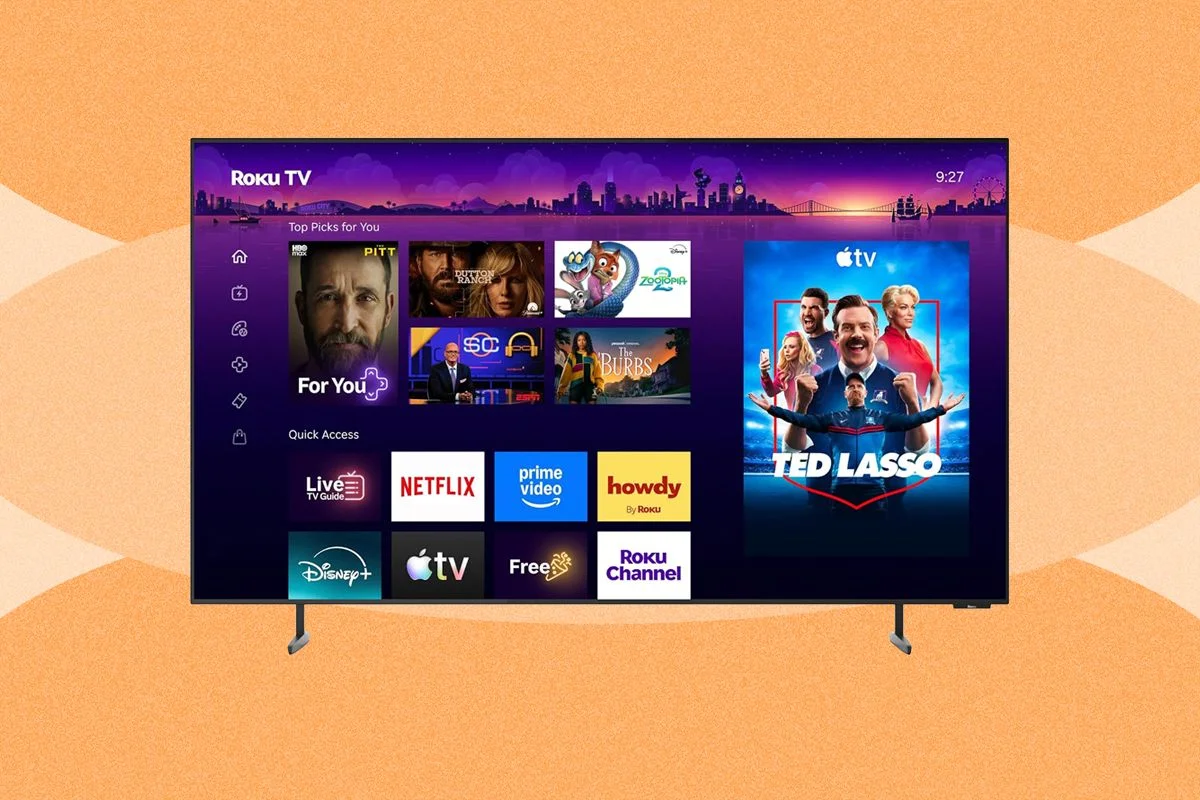
Roku’s first OLED TV makes a persuasive case for shoppers who want deep blacks and rich color without paying premium-panel prices. The Pro Series starts at $1,000, and the review notes that a recent October Prime Day discount cut the price by $300. Its 7/10 rating reflects a clear trade-off: strong picture quality and an unusually approachable interface, tempered by limited brightness, just two size options and disappointing built-in speakers.
That mix makes the TV a plausible upgrade from an older or lower-end screen. It won’t match the brightness and vivid punch the reviewer has seen from high-end LG and Sony OLEDs, and a premium QLED or midrange mini-LED may be a better fit for some rooms. But the Roku still delivers the defining OLED strengths: rich color, convincing contrast and very deep blacks. The review covers the 55- and 65-inch models; there’s no larger or smaller option.
Setup and connections
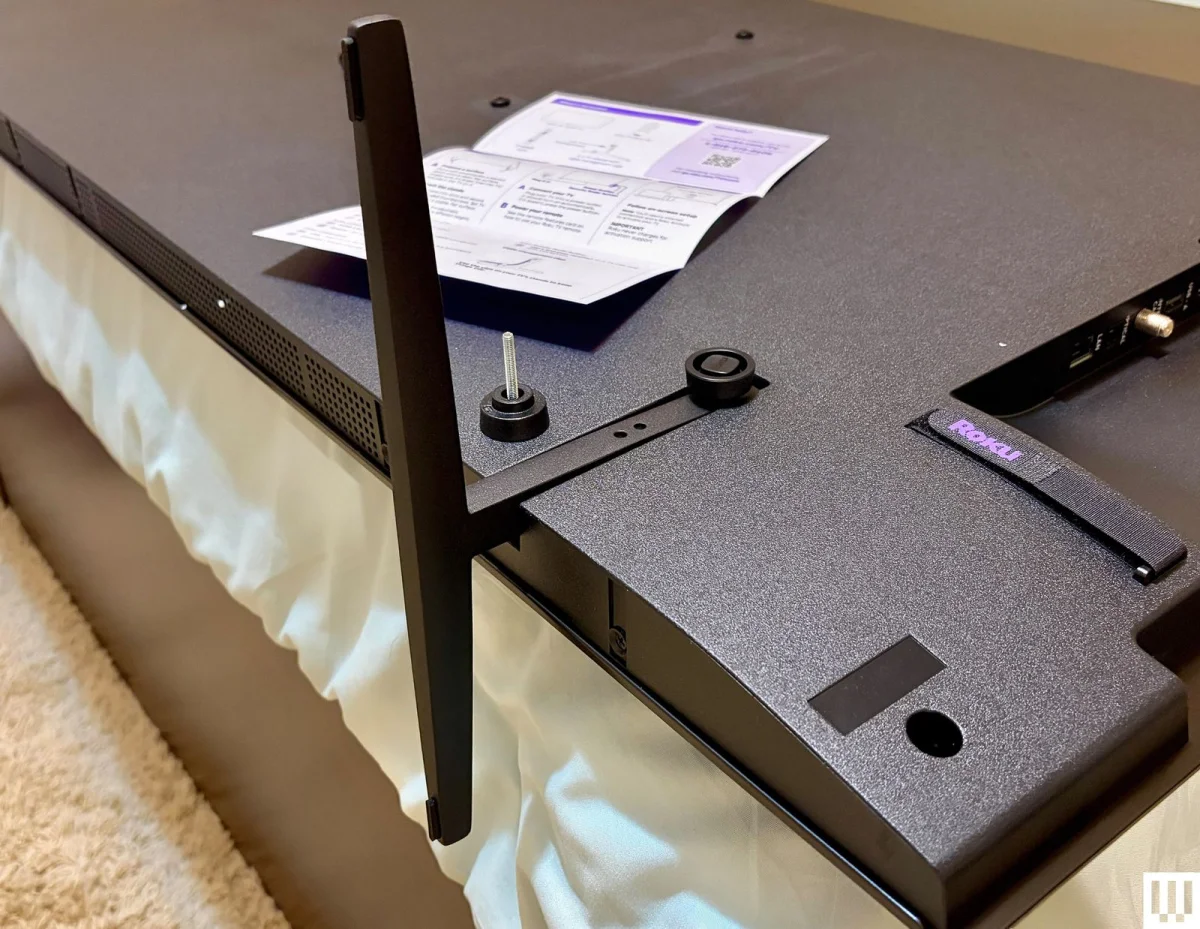
Getting the set ready is simple, even with only a brief printed guide. Its two feet attach without tools using large thumbscrews, and each can be set at either of two heights. Raising the screen can help make room for a soundbar below it. Roku’s setup interface then walks owners through configuration, with many steps available on a phone rather than through the slower process of typing and navigating with a remote.
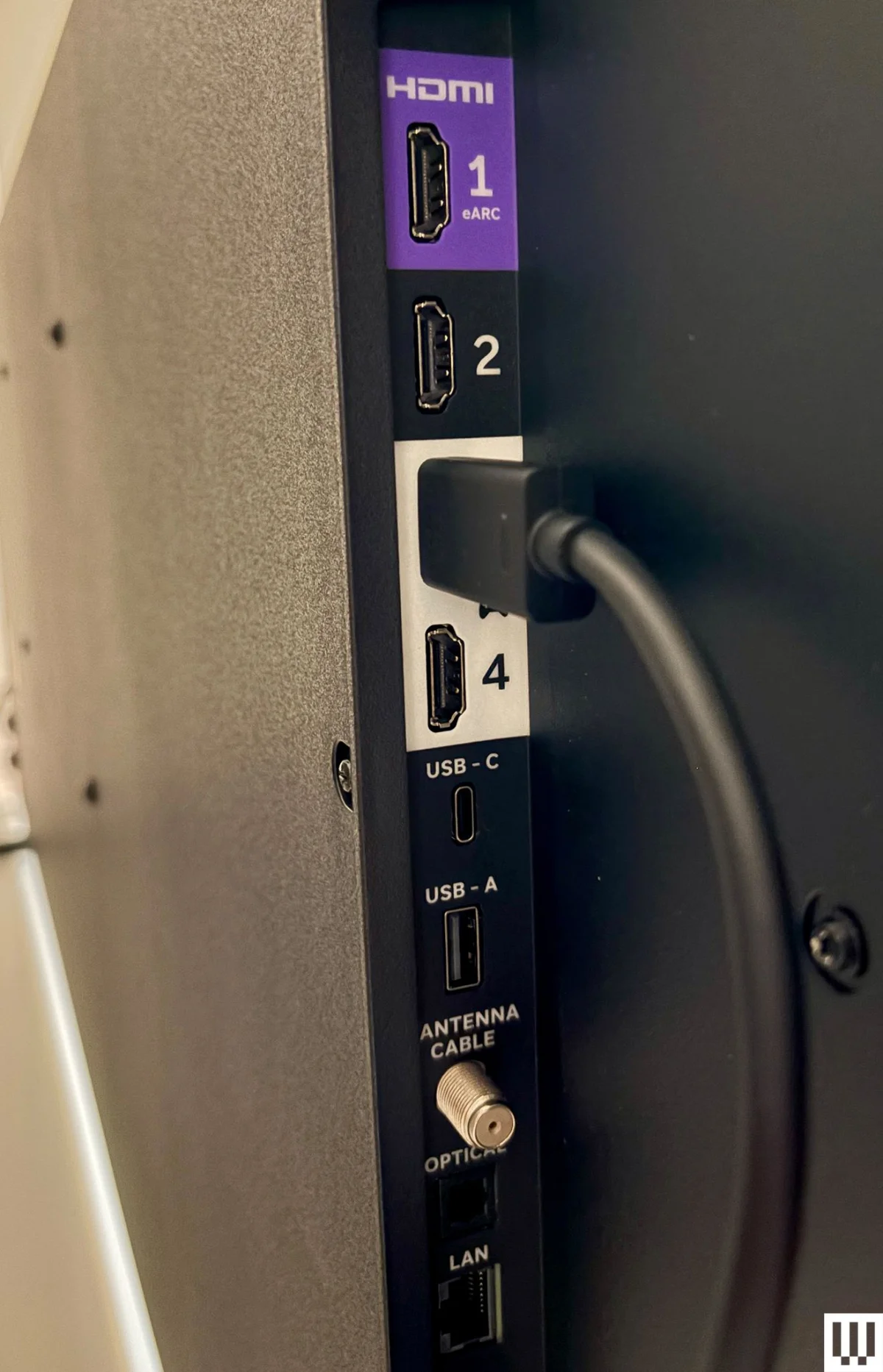
Four HDMI inputs sit near the left edge, where they’re easy to reach. The eARC port is marked in purple, while the two 120-Hz ports intended for gaming are white. Two high-refresh inputs are useful for people with more than one console. The connection options also include coaxial input for cable or an antenna, optical audio for older soundbars and Ethernet for a wired network connection.
The wireless hardware is limited to Wi-Fi 5, rather than Wi-Fi 6 or a later version. The reviewer’s Eero Pro router also uses Wi-Fi 5, and the TV had no problems with connection reliability, stability or speed during testing. That result is reassuring for households with similar equipment, though the older wireless standard is a less future-facing choice.
Roku software and remote
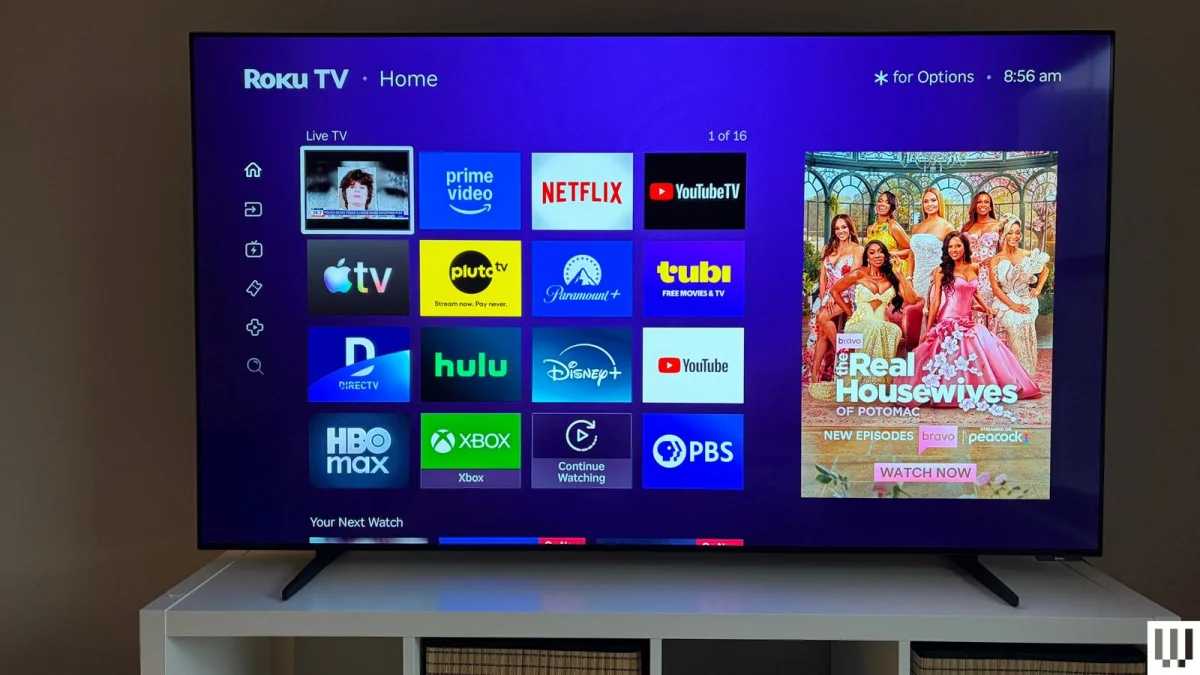
Roku’s interface remains the TV’s strongest practical advantage. Large, colorful app icons and straightforward menus make it easy to find streaming services, while added layout choices include arranging the home-screen icons in four columns instead of three. The Roku City screensaver adds a playful touch when the set is idle; Roku Backdrops offers artwork in a style reminiscent of Samsung’s The Frame.
Advertising appears in several places, including a sizeable part of the home screen and a banner at the bottom of the menu. The reviewer found the ads mostly related to streaming, rather than the product-heavy promotions seen in Amazon and Google interfaces. A more irritating limitation is that some services, including HBO Max and Paramount+, don’t offer sign-in through an app or QR code on Roku. For those accounts, entering credentials with the remote can still mean working through an onscreen keyboard.
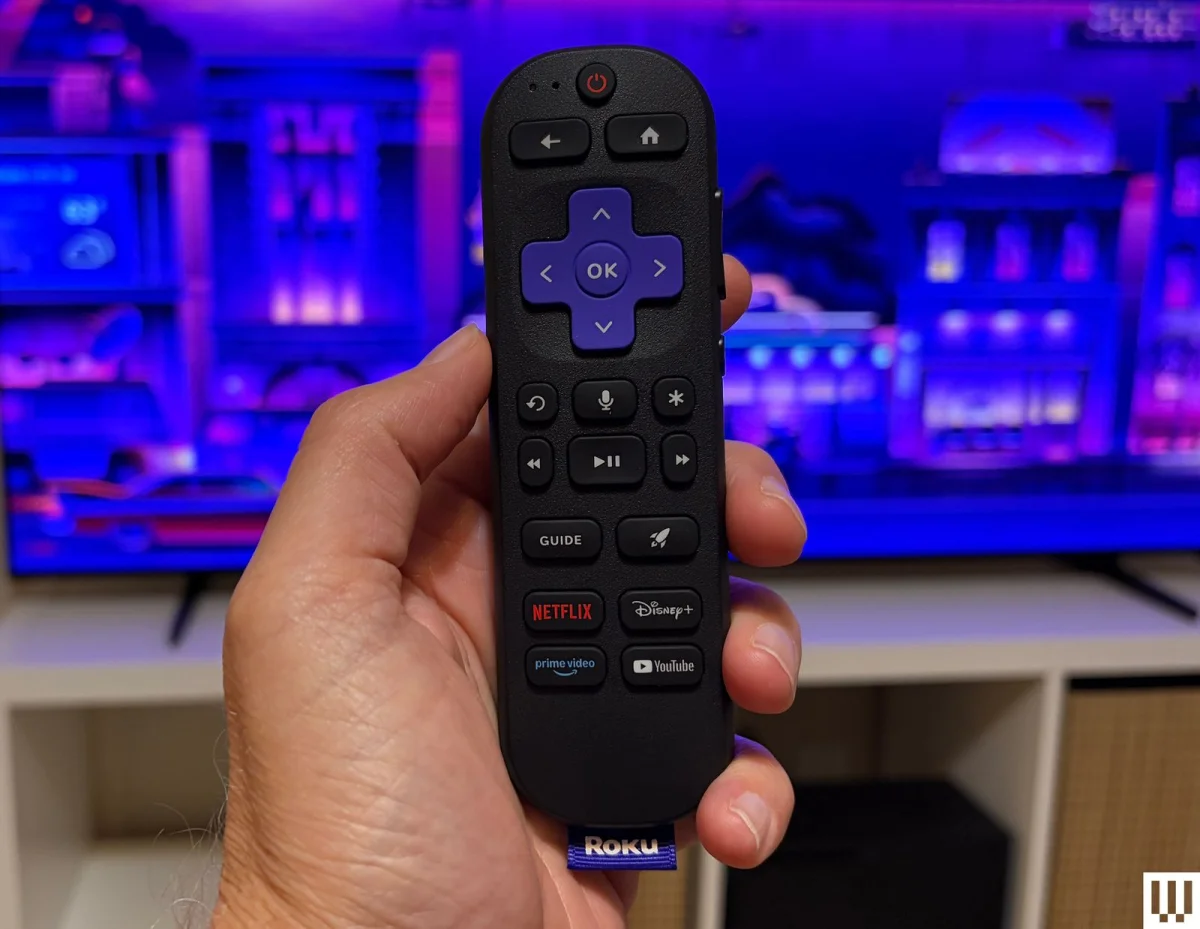
The remote is comfortable to hold and easy to understand. It has a purple navigation pad, playback and shuttle buttons, a programmable shortcut, backlighting, and volume and mute controls along the side. It isn’t rechargeable, an odd omission for a Pro Series product. Voice commands handle basic searches and playback within Roku’s interface, but don’t offer the broader assistant features available from Alexa+ or Google Assistant. Roku smart-home products, such as cameras and bulbs, can also respond to voice commands. If the remote disappears, a button on the TV makes it beep so it can be found.
Picture quality and gaming
During testing, the reviewer watched sports, films and television, and played Xbox Series X games. The main picture limitation showed up in dark scenes: contrast was strong, but the panel could use more brightness. In the early, dim sequences of Solo: A Star Wars Story on Disney+, the image retained good contrast, yet some moments were harder to see than the reviewer wanted, even in a relatively dark room.
The white-hallway scene in the third season of Mythic Quest showed the set’s strengths. Ian Grimm’s dark shirt stood out against the bright walls, and the TV preserved differences in the whites as characters moved through the scene. The reviewer would have welcomed brighter whites, but found the overall image satisfying.
Sports footage looked sharp and smooth, and the 120-Hz refresh rate suited Xbox play. Low-latency game mode activated automatically. In Cuphead and Burnout: Paradise, the image remained crisp and colorful, with quick responses and no visible blur, according to the review.
Color held up across Planet Earth II on HBO Max, Coco on Disney+, nature videos on YouTube and a 4K Blu-ray of Inglorious Basterds. The picture looked detailed and vibrant, though it lacked some of the “pop” the reviewer has seen on more expensive LG and Sony OLEDs. The lower brightness is part of that difference. Whether the more restrained look is a drawback will depend on taste: some viewers may prefer it to the stronger saturation of premium screens.
Automatic picture settings and sound
Smart Picture Max detects the kind of content on screen and adjusts picture settings automatically. Its most noticeable benefit in testing was motion smoothing: it disabled the effect for most shows and films, avoiding the artificial, soap-opera look. Dolby Vision content is an exception; it overrides Smart Picture Max and leaves motion smoothing on. The reviewer switched it off with a few presses of the remote’s star button. Picture changes take effect immediately, so viewers can judge the result without leaving the settings menu.
Dolby Atmos support doesn’t make the built-in speakers sound better. They can play loudly, but become harsh at higher volumes. The reviewer found the opening music in Inglorious Basterds unpleasant even at a modest level. At low volume in a small room, the speakers are tolerable; for other listening situations, a soundbar is the sensible addition.
Roku’s OLED looks like a capable lower-cost entry into OLED viewing, with picture quality that’s compelling when the room and expectations suit its brightness. The controls, software and automatic motion settings make everyday use especially straightforward. For shoppers considering the 55- or 65-inch model, the reviewer’s clearest advice is to watch for a discount and account for a soundbar in the budget.