Google Research’s Harness² Improves AI Agents by Editing Their Tools and Prompts
Harness² refines agent setups without changing model weights, carrying lessons between tasks. Google reports gains of up to 11.8 points across three benchmarks.
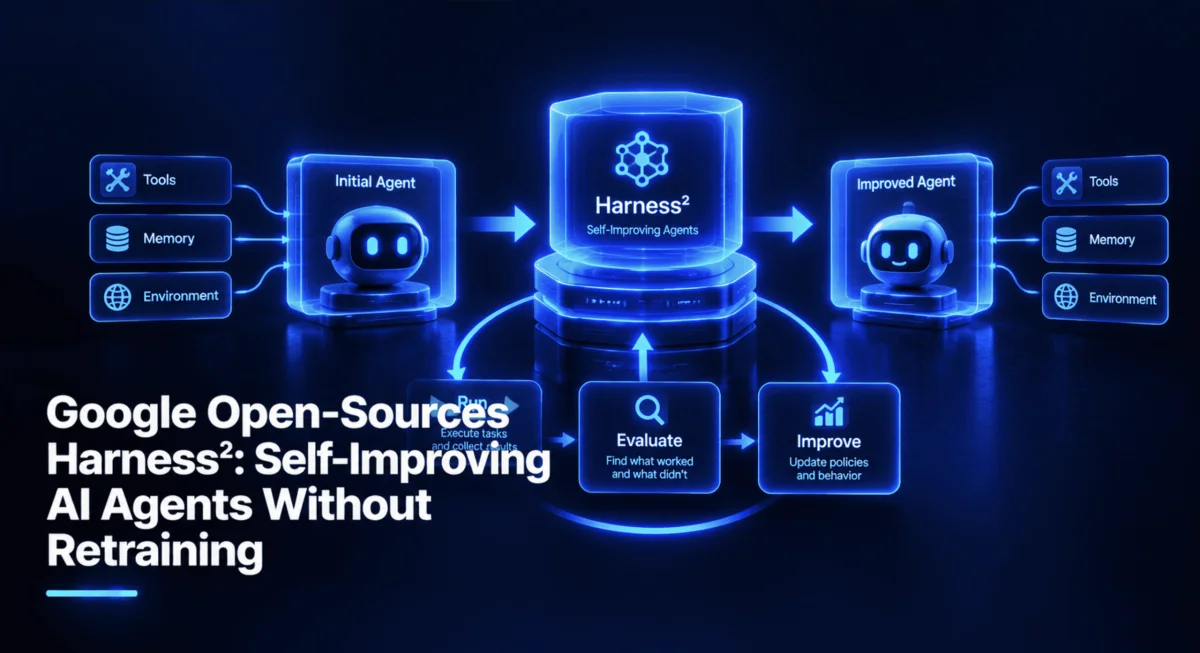

Google Research’s Harness² takes a practical route to improving AI agents: it changes the instructions, tools, scripts and other components around a model while leaving the model’s weights alone. The framework then records evidence from each task and uses it to shape later refinements. That makes it a way to adapt agents without fine-tuning, though the reported gains come with compute costs and still need independent replication.
The project is available under the Apache 2.0 license, with code in the GitHub repository, a research paper titled Harness²: Recursive Agent Harnessing for an Open World, and a project site. Its release has also prompted discussion on X.
What changes when an agent learns
An agent’s behavior depends on more than its underlying model. Its harness supplies the standing instructions, guardrails, memory, task-specific skills, tool descriptions, helper scripts, delegated agents and middleware that shape how it works. Engineers commonly adjust these pieces after seeing a failure. Harness² automates that cycle, aiming to handle tasks that weren’t anticipated when the original setup was written.
The framework can edit eight harness components, described in the repository documentation:
| Component | Role |
|---|---|
| System prompt | Sets the agent’s standing instructions. |
| Guardrails | Defines constraints on the agent’s behavior. |
| Memory | Stores information that can carry across steps. |
| Skills | Provides reusable instructions for types of work. |
| Tool guidance | Explains when and how to use available tools. |
| Scripts | Adds helper code the agent can run. |
| Subagents | Delegates parts of a task to other agents. |
| Plugins | Shapes behavior within the tool loop. |
The first four components mainly affect the context the model receives. Tool guidance and scripts define how it interacts with tools, while subagents and plugins shape delegation and orchestration. Together, these files cover much of an agent’s behavior without changing the model itself. That boundary is the project’s central premise: teams can adapt a model even when they don’t have access to its weights or a training pipeline.
Two feedback loops

Harness² uses two connected cycles. One searches for a better harness on the task at hand. The other stores evidence and lessons so that the next task can start with a more informed setup. The project calls this recursive agent harnessing.
Refining the current task
The task-level cycle has three stages: Propose, Probe and Compose. First, a harness editor suggests two kinds of changes: invariant edits intended to apply broadly, and domain edits aimed at the field of work. The agent then reruns the same task with candidate versions of the harness. Finally, a composer compares the resulting executions and combines edits that appear to help.
The method uses behavioral differences between runs rather than a known correct answer. If one version produces a better result than another on the same task, that contrast gives the framework evidence about the change. Harness² therefore doesn’t need a labeled answer for every task. It does, however, need runs whose behavior can be compared, and the quality of its conclusions depends on what those runs reveal.
Carrying experience forward
After a task, an experience reflector records the adopted harness and lessons supported by the observed results. These notes become part of a persistent improvement harness. On subsequent tasks, that accumulated experience can guide new edits. One cycle refines the setup for the current task; the other improves the process used to refine future setups.
In the demo, these ideas show up as files on disk: candidate harnesses, execution outputs, adopted changes and written lessons. That inspectability matters in practice. Teams can review what the system altered and what evidence it used, instead of treating adaptation as a hidden change to model weights.
Compute budget and recursion modes
The --k setting controls how much work Harness² spends on task-level refinement. In parallel mode, it proposes candidate edits and runs separate compositions across the candidate pool, favoring broader exploration. In sequential mode, it repeats Propose—Probe—Compose and carries each refined harness into the next step, favoring deeper iteration. The experiment guide describes both modes.
More iterations mean more model activity. According to run_sweep.py, each task uses 4k executor rollouts and 3k improver sessions. At --k 3, that is 12 rollouts and nine improver sessions for one task. LAB contains 1,143 tasks, according to the experiment guide, so a full run can add up quickly. Starting with one task is a sensible way to check setup, behavior and spend.
What the benchmarks show
Google reports tests of GLM-5 and Gemini 3.5 Flash across four model-and-harness configurations, using WorkBuddy-Bench, LAB and JobBench. With a single refinement step, or k = 1, the reported best gains over the base harnesses were:
| Benchmark | Task area | Best reported gain |
|---|---|---|
| WorkBuddy-Bench | Office, web and coding tasks | Up to 11.5 points |
| LAB | Legal work, based on Harvey’s harvey-labs | Up to 11.8 percentage points on Partial pass rate |
| JobBench | Professional work tasks | Up to 4.5 points |
These are best-case “up to” results, not average gains across tasks. LAB’s figure refers specifically to its Partial score, which measures the fraction of grading criteria passed. The project README says larger values of k bring further gains, and the paper includes results by configuration. The figures are Google’s own findings; independent reproductions will help establish how reliably the method transfers across models, tasks and harnesses.
The useful comparison here is with the usual options for adapting a model. Fine-tuning changes model parameters and generally requires training data, compute and access to the weights. Harness² keeps adaptation in prompts, code and configuration files. That approach is accessible to teams using models through APIs, and its edits can be inspected and versioned. It also moves costs into repeated agent and improver sessions, so “no retraining” doesn’t mean “no compute.”
A local demo without model credentials
The repository includes a free demo that runs both recursion modes using deterministic editors and real Python executions. It doesn’t require model credentials. The documented prerequisites are Linux (or WSL on Windows, or a Linux VM or container on macOS), Python 3.12 or 3.13 according to pyproject.toml, uv, and git.
After installing uv, the project can be cloned and installed in an isolated environment:
git clone https://github.com/google-research/harness2.git
cd harness2
uv venv --python 3.12 .venv
source .venv/bin/activate
uv pip install -e '.[render]'
The optional render extra installs openpyxl and python-pptx for spreadsheet and slide outputs. The installation registers commands for running Harness², the demo and setup tools, checks, judging, reporting and bridging.
Run the demo with a small budget:
harness2-demo --output runs/demo --k 2Without a mode flag, this runs both parallel and sequential modes. In the supplied example, it completes two accounting tasks in about two seconds and writes a summary to runs/demo/demo.json. The example is designed to show the process, not to stand in for a model-backed benchmark.
Inspecting a learned change
The demo starts with a deliberately faulty helper script. It reads CSV amounts as exact decimal values, but sums only entries greater than zero:
total = sum((amount for amount in amounts if amount > 0), Decimal(0))That condition drops credits represented as negative values. On the sample ledger, the entries are 100.25, -20.10 and 5.00. The base script reports 105.25; the adopted script reports 85.15, which includes all three entries. Harness² found the helpful edit by comparing the outputs of runs, without being supplied the expected total.
The resulting EXPERIENCE.md file explains what was adopted, what the edit changed, what happened during probing and which lesson might transfer. Its lesson says that when a ledger contains credits and debits, the sum should include both signs. The note ties that recommendation to the observed contrast and marks its confidence as high for that arithmetic case.
The demo’s demo.json summary shows how the lesson moves between tasks. The first task starts with no stored entries; the second starts with one in each mode’s library. The agg count refers to parallel mode and seq to sequential mode, as described in the library code. The adopted composition names are recorded in the ledger code.
Output is organized to make the process reviewable. The base/ directory contains the starting prompts, guardrails, memory, tool guidance and scripts. The runs/ directory contains candidates and compositions, while executions/ stores probe outputs. The library/ directory holds adopted harnesses, experience notes and an index that lets later tasks scan lesson cues before applying them.
Using a model-backed benchmark run
A real benchmark run needs models to execute tasks, improve the harness and judge results. The source’s example uses LAB on Vertex AI and limits the run to one task. Model calls incur charges, and their outputs can vary. The source reports verifying the setup commands up to the first paid model call.
Alongside Python and the project dependencies, this path needs Node.js 20 or later for the OpenCode executor, the Google Cloud CLI, a cloud project with Vertex AI enabled, plus Pandoc and Poppler for LAB documents. Docker is needed only for WorkBuddy-Bench. The LAB setup downloads pinned benchmark and executor versions, applies project patches, installs Bun, prepares LAB’s Python environment and fetches task data. The setup guide has the project’s model and credential details.
The repository instructions refer to copying .env.example, but the source reports that the file was unavailable when it was checked. Instead, create a .env file with the needed values:
GOOGLE_CLOUD_PROJECT=your-gcp-project-id
GOOGLE_CLOUD_LOCATION=global
HARNESS2_SOLVER_MODEL=google-vertex/YOUR_GEMINI_MODEL_ID
HARNESS2_IMPROVER_MODEL=google-vertex/YOUR_GEMINI_MODEL_ID
HARNESS2_JUDGE_MODEL=YOUR_GEMINI_MODEL_ID
The solver setting identifies the executor and uses OpenCode’s provider/model format. The improver edits the harness and defaults to the solver model; Vertex Claude is also supported for that role. The judge uses a bare model ID, without a provider prefix. Values in the shell take precedence over those in .env.
Authenticate with gcloud auth application-default login; headless systems can use --no-browser. Then install LAB with harness2-setup lab. To check dependencies, credentials and settings without calling a model, run harness2-check --bench lab. This can identify missing configuration, but it can’t confirm that an account can use a particular model until a real call is made.
Preview a one-task run before spending on model calls:
harness2 --bench lab --k 1 --mode parallel \
  --only-domains antitrust-competition --max-tasks 1 --dry-run
Remove --dry-run to run the refinement. At k = 1, the framework performs four executor rollouts and three improver sessions, checks configuration and then carries out the base run, edit proposals, probes, composition and reflection. If a run stops partway through, the same command can resume it.
Once execution finishes, harness2-judge grades results against LAB’s rubric and harness2-report summarizes Partial and All-pass scores. The --bases option judges the original harness runs too, saving them as base_judged.json alongside judged.json. Keep the benchmark, budget, mode and task selection consistent so the tools locate the intended outputs. Results go under runs/lab/; setting HARNESS2_RUNS_DIR to a new folder can keep separate experiments apart. The repository also provides scripts/run_lab.sh to chain checking, refinement, judging and reporting.
What to watch next
Harness² makes a testable case for agent improvement through accumulated experience. Its strongest practical feature is that the changes remain in files people can inspect, while its benchmark results suggest that even one refinement step can help on several kinds of work. The limits are equally concrete: each task can require many model sessions, results vary, and Google’s reported gains need outside replication.
Open questions include whether lessons transfer between domains, how the cost compares with fine-tuning for a given workload, and how teams should review changes made by a self-editing agent. The free demo makes the mechanics easy to inspect; the model-backed run reveals the operational costs. The paper, experiment guide and benchmark guides provide the details needed to assess the method and reproduce its evaluations.
Related reading: Google Antigravity skills and workflows, AI coding platforms, delegating work as a business grows, AI tools for data scientists, getting more done without longer hours, and understanding large code repositories.
Author: Shittu Olumide, a software engineer and technical writer. Follow on Twitter.